Corporate Wellness

Energized Ergonomics, energy and ergonomics perfectly blended

Energy & Ergonomics, Perfectly Blended

Our mission is to create healthier, more productive work environments by integrating ergonomic best practices, reducing occupational risks and fostering a culture of wellness.

Our vision is to be Botswana’s leading ergonomics partner, transforming workplaces into safe, efficient and comfortable environments that support long-term wellbeing and performance.

Guided by our values
  • Health & wellbeing
  • Prevention & proactivity
  • Evidence-based practice
  • Local relevance
  • Integrity & transparency

Ergonomics that pays for itself

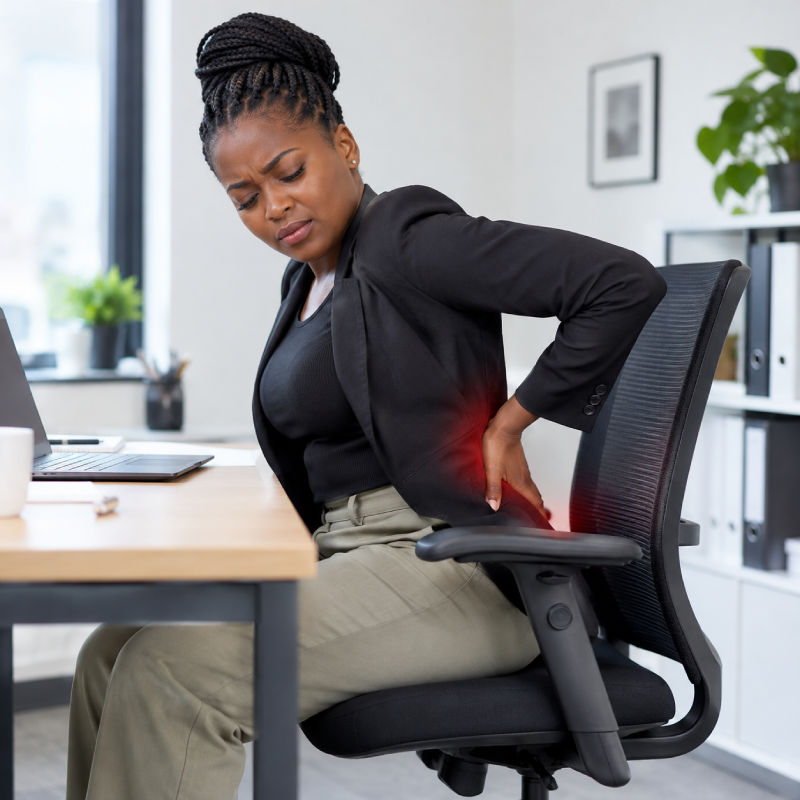
Companies that invest in ergonomics save money. Employees spend less time visiting doctors, need fewer physiotherapy sessions and take fewer sick days. When staff sit correctly and comfortably, they work better and deliver higher productivity.

“Physiotherapy restores function, ergonomics sustains it.”

  • 01Reduced workplace injuries
  • 02Increased employee productivity and satisfaction
  • 03Cost savings through fewer absences and improved efficiency

Notable Clients Include

Equip your team with the right ergonomic products

Ergonomic office chairs, laptop stands and footrests, recommended by physiotherapists and tailored for offices, clinics and schools.

“The right chair is not furniture, it’s preventive medicine.”

Ergonomic Workstation Guidelines

Simple adjustments that reduce strain at the desk. Share them with your team, or book an assessment and we’ll set up each workstation properly.

Professional working at an ergonomic desk set-up
1

Chair height

Raise the chair until elbows are at height of the keyboard. Feet supported on the floor or footrest with hips slightly higher than knees.

2

Lumbar support

Sit as far back in the chair as possible in order to feel the lumbar support.

3

Elbows & shoulders

Keep elbows close to your body and shoulders relaxed.

4

Armrests

Supporting forearms or underneath desk.

5

Monitor

Top most line of work at approximately eye level.

6

Viewing distance

Approximately 40–76 cm from eye to monitor.

7

Keyboard

Keep the keyboard in close proximity to avoid reaching forward. Keep wrists in line with your forearms.

8

Mouse

Keep the mouse in close proximity and alongside the keyboard.

Request a Bulk Quote

Purchasing products in bulk for your organisation? Complete the form below to request a quotation.

10+Bulk buying applies to orders of 10 units or more per product.

"*" indicates required fields

1. Company Information

2. Product Requirements

Minimum 10 units

3. Delivery Details

Not sure which service is best for you?

Tell us a little about what you are experiencing and our physiotherapists will recommend the right service for you.

"*" indicates required fields

Preferred contact method*

Not sure which workplace service you need?

Tell us about your workplace and our team will recommend the right programme for your organisation.

"*" indicates required fields

Organisation details

Contact person

Preferred contact method*